
The WooCommerce hook woocommerce_single_product_summary allows connecting to the Single Product page and adding your custom code inside the product information block – before the Product title. You need to call the hook before a product is called. In order for you to understand exactly where the hook woocommerce_single_product_summary is connected, check the image below.
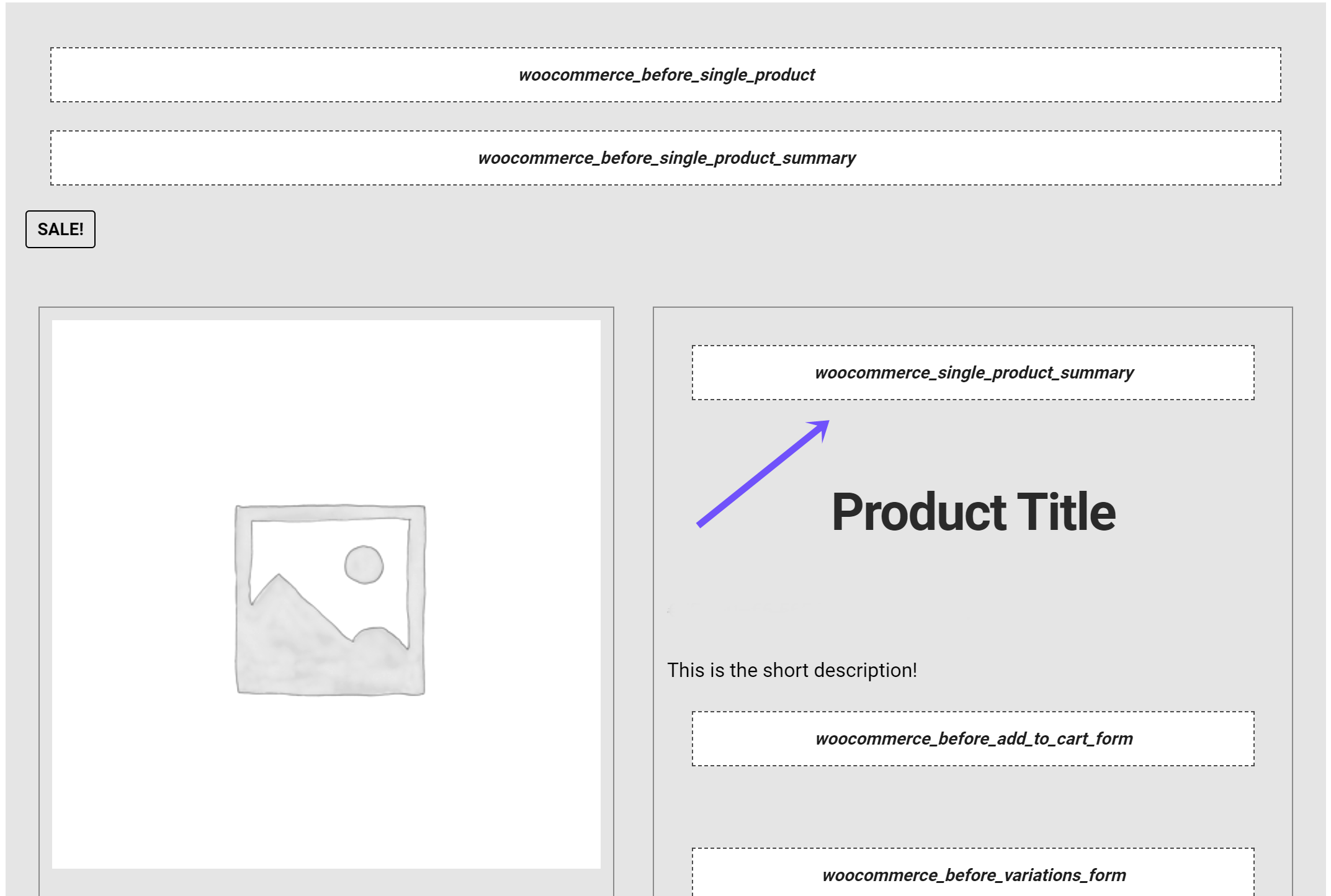
Parameters of This Hook
Let’s check the parameters of this hook. The woocommerce_single_product_summary has two parameters.
- $callback => function
The callback can be a string(function name) or array($this, ‘add_product_border’). - $int (int) => 19
Gives priority to the callback function.
woocommerce_single_product_summary Usage
If you need to run this hook, then check this code –

For adding the woocommerce_single_product_summary hook callback use the example below.

For removing the hook callback, use the following code below.

Hook locations in the WooCommerce core
In the core of WooCommerce, the hook is used in several files and places. This hook appears in this file – woocommerce/includes/wc-template-hooks.php. It appears in this file 7 times on the following lines – 144, 145, 146, 147, 148, 149, 175. This hook appears in this file as well – woocommerce/includes/class-wc-structured-data.php(on line 31). It appears here as well – woocommerce/includes/class-wc-shortcodes.php, on lines 536 and 611.
Wishlist and Quick View Plugin
Make your WooCommerce store more convenient and engaging with the WooCommerce Wishlist and Quick View plugin by WpDevArt. This all-in-one plugin combines a powerful wishlist system with a fast AJAX-powered product quick view, giving shoppers more ways to browse, save, compare, and purchase products without unnecessary page reloads.
Customers can save their favorite products to a wishlist, share their lists, and add saved products to the cart when they are ready. The Quick View feature lets shoppers explore product details, variations, images, pricing, stock information, and add-to-cart options directly from product listings. With support for guest users, variable products, block themes, caching, accessibility features, and customizable styling, the WooCommerce Wishlist and Quick View plugin provides a smooth shopping experience while keeping your WooCommerce store lightweight and user-friendly.
WooCommerce-Ready Theme
Also, if you are interested in the WordPress Online Store Theme, you can try MegaStore. This is a great theme developed by our team and has both free and premium versions. The video below will demonstrate the theme in action. Both versions are fully integrated with WooCommerce. You can use this theme to create an online store.